
QR table ordering & online menu
Guests scan the table code, your menu opens on their phone, they pick items and extras and send the order; it reaches your cashier to accept — sales and payment stay in your POS.
Add-on: د.أ 10.000 / month on top of a restaurant plan


The guest orders… the kitchen rings
No waiting for a waiter, no writing mistakes: the order arrives exactly as chosen, with extras, and prints at the right station.
Table 7
Opening the menu…
Table 3
06:12
Takeaway #44
03:40
Three steps from the table to the kitchen
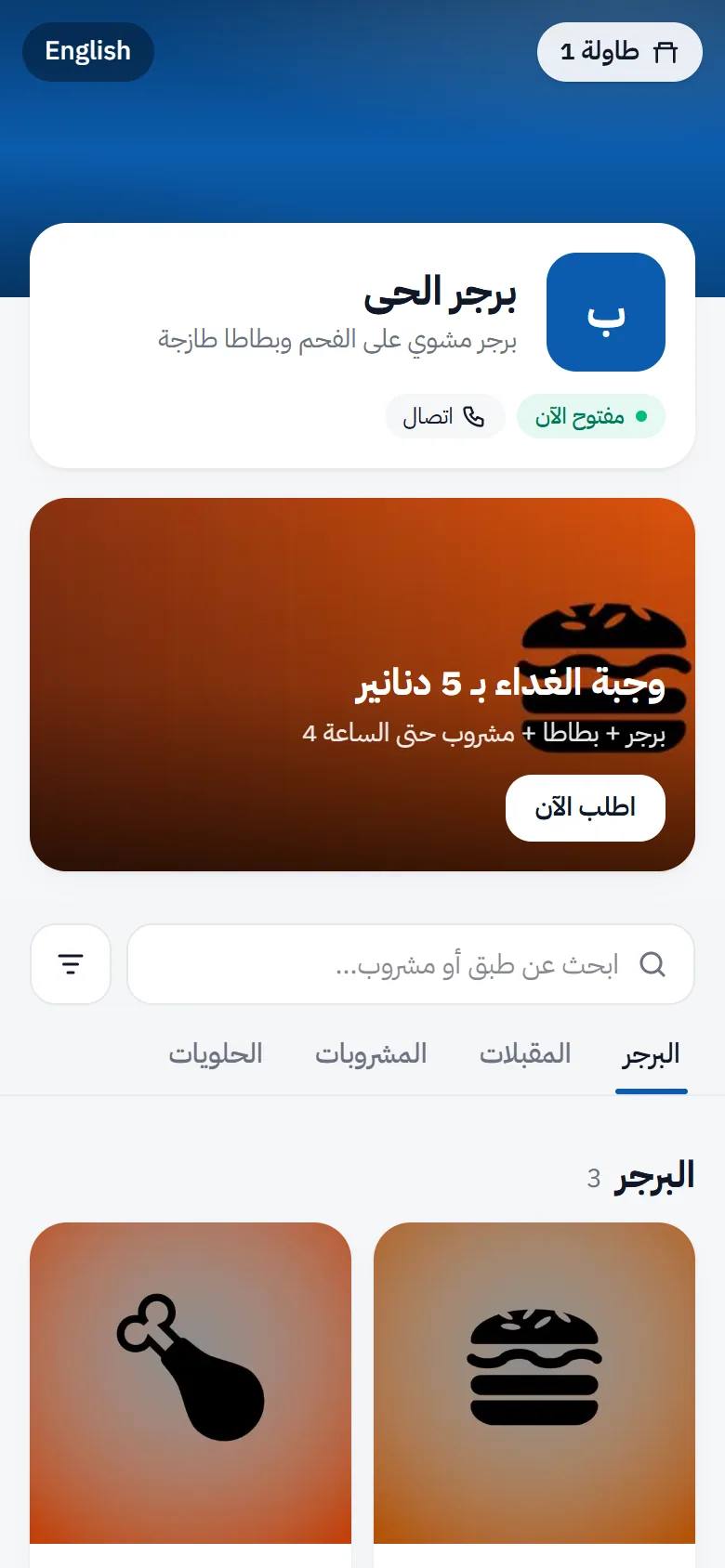
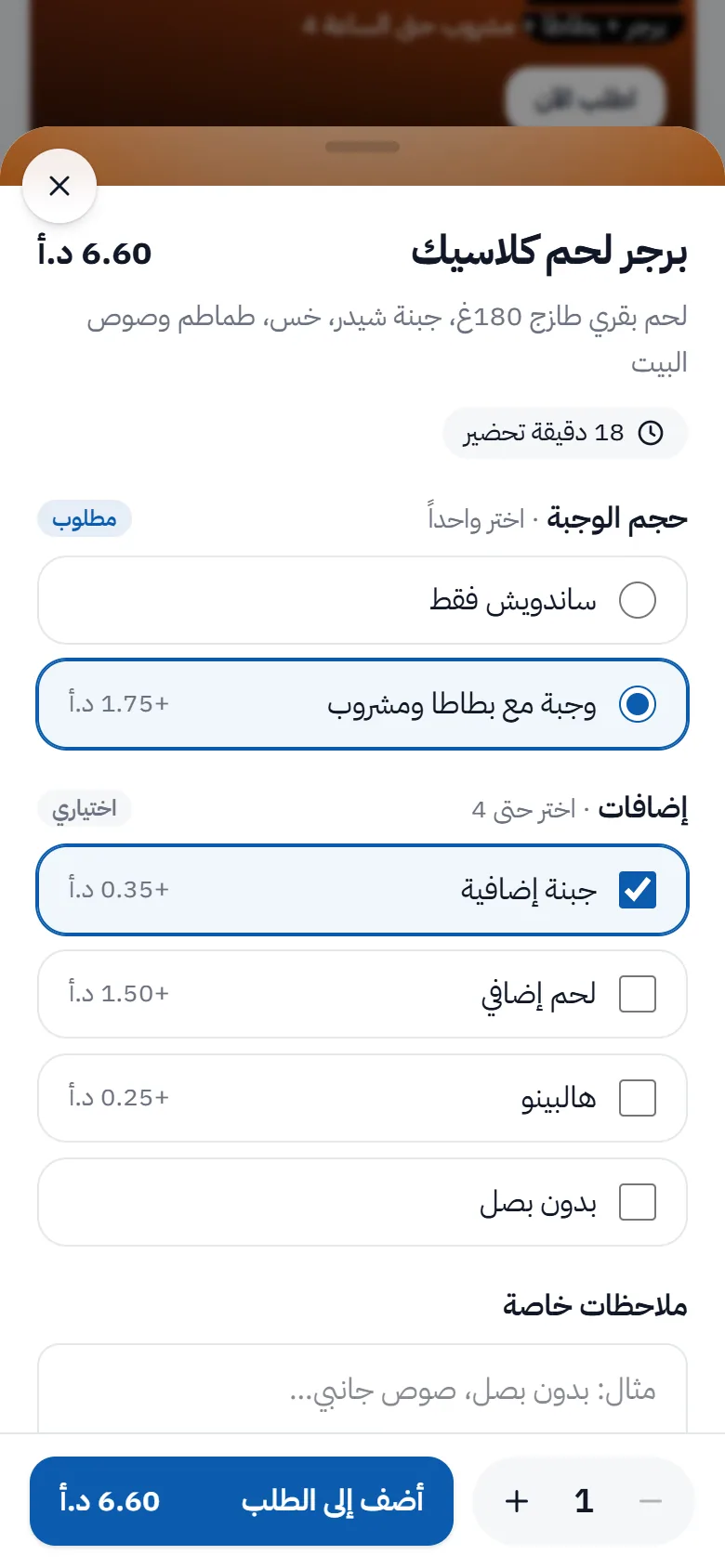
The guest's journey, exactly as it is
Real screens in order: from scanning the table code to the POS invoice. In step 7 the cashier accepted the order in the POS.
1. The menu opens as soon as the table QR is scanned
The menu opens as soon as the table QR is scanned: restaurant, status, offers, search and categories
And at the cashier
The order reaches the POS, where the cashier accepts or declines it and follows every table. Sales and payment stay in the POS.
A new table order
Arrives at once with a chime: items, options and the kitchen note.

A live menu that follows the cashier
Sold out? New price? A new colour? Change it at the POS and every table sees it at once.
Jasmine Restaurant
Table 7 · order from your seat
Any change at the POS shows on the menu at once — no reprinting.
Built to be reliable at rush hour
- The guest never sees “accepted” before the POS saved the sale
- Pressing “accept” twice never creates a second sale or stock movement
- The guest sees the expected preparation time, adjustable by ±5 minutes
- “Request the bill” from the phone reaches the cashier without closing the table
- After the table session ends, the next party never sees previous orders
- Turning the add-on off hides everything without deleting data
Rush hour — live
T1
Free
T2
Served
T3
Ordering
T4
Free
T5
Served
T6
Served
T7
In the kitchen
T8
Free
T9
Served
T10
In the kitchen
T11
Ordering
T12
Bill please
Illustration
Turn every table into an order point
The add-on is enabled on the menu platform automatically after payment; the POS connection code is in your portal.
